
When I was a student, I didn’t have the opportunity to encounter mathematics software.Based on the recent case, it should be the combination of the two.I also wish the two companies will merge.
Case: To investigate the magnetic flux through the coil and the induced voltage, first to simulate google formula.


Legendre polynomial!!! Ellipse integral!!! It is too complicated to calculate with Excel. At this time, I bought cheap Matlab to use, but I tried to enter the formula and couldn’t execute it, and I began to doubt my life.

Later, I increased my cash and considered buying Maple or Mathematica. In the end, I pressed the most expensive MMA, hoping to have good results. In his Notebook formula construction according to the original manuscript, the formula is visualized, so I only need to focus on theoretical debugging.

Later, I found a completely consistent example in MATLAB Central. I can only say that the MATLAB engineering reference materials are relatively complete. For example, 5G communication MATLAB has a related Toolbox, and MMA is not. The market positioning of the two is different. Once again, I wish the two companies can merge.

Finally, use the MATLAB example to modify it once and use MMA to debug the network paper and calculate the same size model to get the same value, and the two votes are unanimously passed!!

Reviews
Because my case happens to have a formula solution, it will save time and effort to use MMA. If it is a numerical solution that requires a little bit of space, it is better to hand it to MATLAB. The MATLAB interface has Workspace to put the variable value next to facilitate debugging. The data visualization function is much stronger than Python. Unless you spend time writing, the life of the uncle is limited, and Python is not an option.
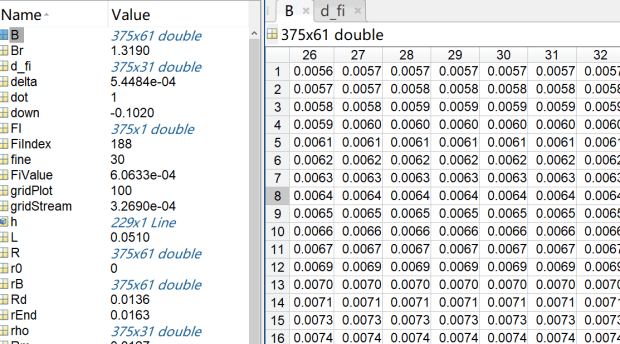
The Matlab image can be tabled like Excel, and MMA is like Word, even if the table is used, the controllability is not good. (Writing here, the MMA command Dataset, TableView have begun to appear)
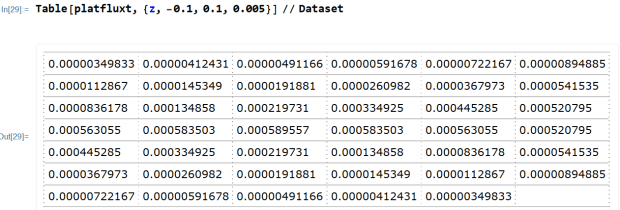
If MATLAB is analogous to the C language, then MMA is like VB. For an amateur middle-aged uncle, it does not matter if you choose to save time and effort and spend more money. MMA uses a shorter CODE to quickly realize innovative ideas and follow Friends show, it is pretty face, CODE is highly readable (especially important for people with aging memory). Of course, if the uncle’s good friend reads the show and is willing to invest in ideas, then go back and use MATLAB or other software to build the details.
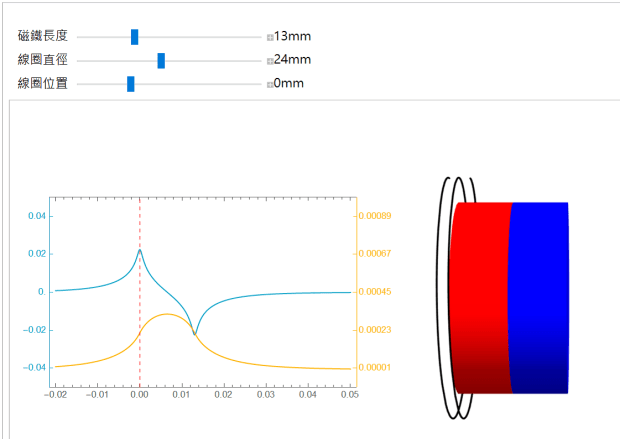
If you are reading the original text and encounter a long and smelly formula, you can use MMA as a computer to help you draw, or go to the free website wolframalpha, or download the related free DEMO to touch it.
Another advantage is that the MMA writing interface is more beautiful, and the programming is quite relaxing and healing. Compared with the Yangchun of other languages, the gunpowder is more flavorful and currying (English: Currying). The programming is very cool and very short. Fun.
Reference article
First of all, I would like to thank the formula derived from Nuclear Physics 101, which gave me the opportunity to return to my textbooks and discuss electromagnetism in my spare time.
https://nukephysik101.wordpress.com/2011/07/17/the-magnetic-field-of-a-finite-length-solenoid/
There are two software comparisons on this website, some of which are the same as my experience in this case
 大叔工程雜學